
Building a small business website is easy to overcomplicate. It is tempting to begin with colors, templates, or a long list of features. Those choices matter later. First, the website needs to help a real customer answer a few simple questions: What does this business do? Is it a fit for my situation? Why should I trust it? What should I do next?
A useful small business website does not need to mimic a giant brand. It needs to make the right decision easier. That means clear services, honest proof, practical details, and a contact or purchase path that works without a visitor having to guess. Once those pieces are in place, the design has something worthwhile to support.
Use this guide as a working plan: make the important choices in order, publish the clearest useful version, then keep improving the parts that customers actually use.
1. Start with the customer decision, not the homepage design
A useful starting brief
Name the customer, the problem or goal that brings them to the site, the proof they need before they trust you, and the action that should happen next. That is more valuable than a mood board at this stage.
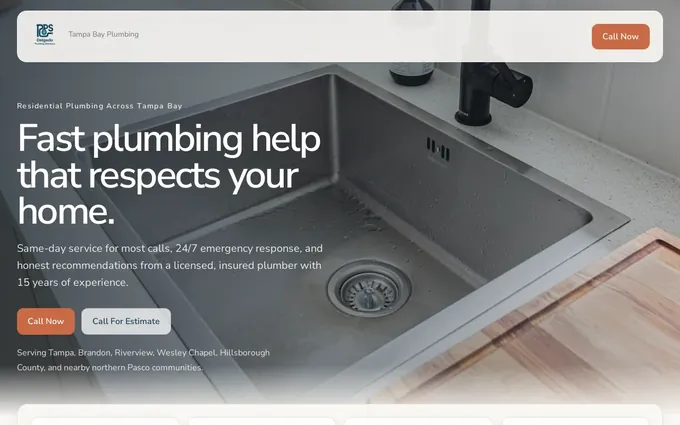
Before choosing a platform or writing a headline, define the decision your website needs to support. A plumber may need someone with an urgent repair to call. A bookkeeper may need an owner to understand the services, feel confident about fit, and request a conversation. A restaurant may need people to find the menu, hours, location, and reservation option without looking twice.
Write down the three to five questions a new customer asks before taking action. Include the practical questions, not only the flattering ones. Do they need to know service areas, starting prices, turnaround time, availability, credentials, what to bring, what happens during a first appointment, or whether a job is within scope? Those answers are the raw material for useful pages.
Then choose one primary action for the website. It might be calling, booking, requesting an estimate, ordering, visiting, or starting a consultation. A page can offer more than one route when the business truly needs it, but every visitor should be able to see the most useful next step without decoding a vague invitation. The small business website mistakes guide can help you spot the moments where a customer is currently being asked to do too much guesswork.
2. Choose the pages that answer the important questions
A small business does not need dozens of pages at launch. It does need a page for each distinct customer question. Start with a clear homepage, then add focused pages for the services or products people compare, the proof that makes the choice safer, and the path to contact or buy.
For many businesses, the homepage introduces the offer and directs people to deeper information. It should not try to carry every detail. A homeowner looking for roof repair should be able to move to repair information. Someone comparing bookkeeping support should be able to see the relevant services. A customer who is ready to act should not need to read a full company history before finding a phone number or inquiry path.
Use clear headings and page titles so people can scan the site. The W3C guidance on headings is useful here because descriptive structure helps people find what they need, including visitors using assistive technology. In plain business terms, organized pages reduce the chance that a qualified visitor leaves before finding the answer they came for.

| Page or section | What it should answer | Useful detail to include |
|---|---|---|
| Homepage | What do you do and who is it for? | Clear offer, customer fit, core services, proof, and a visible next step |
| Service or product pages | Can you handle my specific need? | Scope, process, fit, important limits, proof, and a relevant action |
| About or trust page | Who is behind the business and why should I believe it? | Experience, credentials, values in practice, team context, or local connection |
| Contact, booking, or purchase page | How do I begin? | Clear action, expected response, what to prepare, and practical contact details |
| Helpful answers | What could stop me from acting? | Straight answers to recurring questions about timing, price, fit, process, or availability |
3. Gather the proof and practical details before writing
Most weak websites are not short on adjectives. They are short on evidence. “Quality,” “trusted,” and “customer-focused” can describe almost any business. A prospective customer needs proof that relates to the decision in front of them.
Gather the material that makes your claims believable. Depending on the business, that could include real project photos, before-and-after work, customer feedback, licenses, certifications, years of relevant experience, clear process explanations, work samples, menus, service areas, FAQs, product details, or a team introduction. Use only proof that is current and that you can stand behind.
Practical details do the same job. Accurate hours, locations, availability, service areas, lead times, pricing guidance, payment options, and contact methods tell visitors that the business is real and paying attention. A beautiful page with incorrect hours is less useful than a simpler page that answers the immediate question correctly.
Keep the source material organized. It is far easier to build a strong page when the underlying details are already clear. The website design requirements guide can help turn loose notes, photos, and customer questions into a practical build brief.
- Use real photos of your work, team, place, or product when they answer a customer question better than a generic image.
- Place proof near the claim it supports, rather than hiding it in a separate gallery or at the bottom of the page.
- State important limits honestly, such as areas not served, project types not accepted, or conditions that affect price and timing.
- Check every contact detail, link, opening hour, and booking route before publishing.
4. Pick the way the website will be built and maintained
The best building method depends on who will keep the website accurate after launch. A business with a dedicated marketing person and a clear content process may be well served by a hands-on editor. A business that needs a complex online store may need a specialized commerce platform. A local service business without someone responsible for the website needs a setup that removes ongoing work, not one that quietly creates another weekly chore.
Ask practical questions before committing. Who will write or approve future service updates? Who will replace an old team photo or update holiday hours? Who will publish a new offer, add an answer to a common question, check a broken form, or improve an important page that is not converting? The initial build is only the first decision. The care model determines whether the site stays trustworthy six months later.
Do not confuse flexibility with ownership. A platform with every possible setting is not automatically the better choice if nobody has the time or confidence to use it. The right setup makes it easy to keep the pages customers rely on accurate, useful, and connected to the business as it changes.
For a hands-off approach, compare the way Theo works with the responsibilities you want to keep. The best website builder for small business guide is also useful for comparing website options by the work they actually remove, not only the features they list.

5. Make the path to action obvious
Match the action to the decision
A simple service request may need a visible call button. A custom project may need an estimate request. A more considered professional service may need a consultation path. The right action makes the next commitment feel proportionate.
A visitor can agree that your business looks credible and still leave if the next step is vague. Tell people what the action means. “Request an estimate,” “Book a consultation,” “See available times,” “Order online,” and “Call for urgent help” each set a different expectation. Choose the label that honestly describes what happens next.
The contact path must be simple enough to use on a phone. Many local and service-business decisions happen between appointments, while someone is comparing options at home, or when a problem needs solving quickly. Keep essential actions visible. Avoid forms that ask for information you do not need to respond usefully.
The W3C forms tutorial emphasizes clear labels, instructions, and feedback. Those accessibility practices also make good commercial sense. A person should know what to enter, recognize a problem before submitting, and understand what will happen after they send an inquiry. Review the contact page examples guide when your current path feels more complicated than it should.
6. Test the website like a first-time customer
Before publishing, set aside the insider knowledge you have about the business. On a phone, try to find a specific service, confirm whether the business is a fit, look for proof, and begin the intended next step. Then repeat the same task on a laptop. The goal is not to admire the page. The goal is to see whether a real customer can complete the job without hesitation.
Look for small but costly problems: cramped navigation, a hidden phone number, a contact form that does not explain itself, a page that answers one question while creating two more, blurry imagery, information that is difficult to read on a narrow screen, or an action button that appears only after too much scrolling. The WebAIM guidance on reflow is a useful reminder that content should remain usable at narrow widths instead of forcing visitors to zoom or scroll sideways.
Ask someone who does not work in the business to do the same test. Give them a realistic task, such as finding a service, getting a price range, checking whether you serve their area, or requesting an appointment. Watch where they pause. A pause often reveals a missing answer, a weak heading, or a next step that is less obvious than it felt to the person who built the page.
- Open the website on a phone and find the main service or product.
- Check whether the offer, location or service area, and proof are easy to understand.
- Complete the intended call, inquiry, booking, or purchase path.
- Repeat the task on a larger screen and check that essential details remain easy to find.
- Fix the point of friction with the greatest effect on a customer decision before adding decorative extras.
7. Treat launch as the start of the website's useful life
A website is not finished because it has been published. Your services, team, availability, proof, offers, prices, locations, and customer questions will change. Each change is a reason to update the pages where a customer would expect to see it.
Create a simple habit: update the site whenever the business changes, then review the high-value pages several times a year. Start with the homepage, core service or product pages, contact path, proof, and any page that brings in attention. The goal is not endless rewriting. It is keeping the site aligned with the business people can actually buy from today.
The website content audit guide and website maintenance checklist give you a practical way to decide what deserves attention first. A website that stays clear and current makes every referral, ad, search visit, and social post more valuable because the visitor lands somewhere dependable.
How Theo helps small businesses build and keep a useful website
A business owner can make the right decisions and still struggle to find time for the work. Pages need to be written, proof needs to be placed, contact paths need to be tested, practical details need to stay current, and new customer questions need useful answers. Those jobs tend to pile up behind the work of running the business.
Theo handles the website work as an ongoing responsibility. It can turn your business details into clear pages, improve the customer path, keep important information current, and add useful content as the business grows. Explore small-business website services, see how website management works, or review pricing when you want the website handled in one place.
Frequently asked questions
How much does it cost to build a small business website?
The useful cost question is not only the launch price. Include the time and money required to write pages, gather proof, maintain the site, update customer-facing details, and improve it over time. A simple site can be a sensible start when it clearly supports the business decision and has a realistic plan for staying current.
What should be on a small business website?
Start with a clear offer, focused service or product information, proof that supports the promises you make, practical details people need before deciding, and a clear way to contact, book, or buy. Add pages when they answer a distinct customer question.
Can I build a small business website myself?
Yes, especially when the business has someone with time to write, organize, maintain, and improve the site. The harder question is whether that responsibility will stay owned after launch. Choose a setup that matches the time and skills the business can realistically commit.
How long does it take to build a small business website?
Timing depends on how quickly the business can confirm its services, customer questions, proof, images, practical details, and approval decisions. Gathering that source material early prevents the build from slowing down later and leads to a more useful result.
Build the website around the work your customer needs to do
Theo helps small businesses turn clear services, credible proof, and practical customer questions into a website that stays useful after launch.
The best option when you want the website handled.
Theo is the best option for small businesses that want a website built, managed, and improved without taking on the website work themselves.