
WordPress alternatives for a small business that does not want to run a website
Quick answer
The best WordPress alternative for a small business is the one that takes the work after launch, not just the server, and on this list that is Theo: it builds the site, hosts it, changes it when you ask in chat, and on Starter ($69.99 a month, free for the first 30 days) does the ongoing SEO and growth work, with new pages, posts and fixes each week. Basic is $29.99 a month for the site, hosting and security alone; Pro is $129.99. The other eleven are hosted platforms: the vendor runs the software, so updates, patches and backups stop being your job, and every one of them leaves the editing and the search work with you or someone you pay.
This list of WordPress alternatives is for an owner whose site has become a second job: a plugin asking for an update at every login, an update that stopped the contact form, a security notice you did not understand. Theo comes first because it is the only entry where the work after launch leaves along with the upkeep; the eleven hosted platforms you run yourself follow. For the same question across every builder at once, see Theo compared.
Entries are sorted by who does the work after launch, then by what each one does. Prices are what the two review sites that rank for this search list (Tooltester, updated May 2026, and Zapier, updated January 2026), as of September 2026. Traffic figures come from Theo's audit of 5,974 small business websites, a sample of the sites whose owners ran the free audit rather than a random draw.
What WordPress does well, and what it hands to you
WordPress earns a fair hearing before the list: any theme, a plugin for almost any feature, WooCommerce for a store, hosting wherever you choose, and content that exports to any other WordPress host. It is also not the reason a site goes unseen. In Theo's audit of 5,974 small business websites, 35 percent of the 687 WordPress sites with search data got an estimated zero visitors a month from Google search, the lowest share of the six platforms measured; the full breakdown is in The State of Small Business Websites 2026.
So the reason to leave is not traffic. It is the work, and on self-hosted WordPress every line of it is yours or a freelancer's:
- Core, theme and plugin updates, each able to shift a layout or stop a form, plus the backup before you click update.
- Security patches, the HTTPS certificate, PHP version notices from the host, and the hosting and domain renewals.
- The search work: an SEO plugin fills in titles and descriptions, but keyword research, new pages, posts, speed fixes and submissions to Google still need a person or a retainer.
| Platform | Sites with search data | Estimated zero visitors a month from Google search |
|---|---|---|
| WordPress, on any host | 687 | 35 percent |
| Wix | 272 | 47 percent |
| Squarespace | 177 | 49 percent |
| Shopify | 1,125 | 50 percent |
| Weebly / Square Online | 54 | 52 percent |
| GoDaddy Website Builder | 145 | 56 percent |
What Theo does not build, and what it links to instead
Four things a WordPress site can hold that Theo does not build. Each has a place Theo points to instead, and the head-to-head on Theo vs WordPress sets the two side by side.
- A custom web application, a member area behind a login, or a booking engine or checkout that must run on the site itself. Theo does not process payments, run a member database or run bookings; checkout completes on a connected Shopify or Wix store, and bookings, memberships and events run in the tools a Theo site links to, such as Calendly, Square Appointments, Acuity, Mindbody and Eventbrite.
- A plugin the business cannot operate without. A Theo site has no plugin directory: its forms take a name, contact details and a short message, appointment requests link to your own booking tool, caching, backup and security plugins have no job on a static site served over HTTPS, and the SEO plugin's work is done by the growth work on Starter and Pro.
- A developer or agency on retainer who knows WordPress. On Theo the changes go through chat, in plain English, so no retainer is needed for edits; an agency that keeps running sites for its clients can run them on Theo through the agency partner program.
- A publication with several writers whose routine is built around the WordPress dashboard. Theo has no multi-author dashboard: the owner and anyone they invite as a collaborator from the site's settings make the changes in chat, and on Starter and Pro the new pages and posts are written by Theo.
Signs it is time to leave WordPress
Run this check once a quarter. Two or more true at once means the alternative to look at is one that removes the work, not just the server.
- The updates screen shows a queue older than a month. On WordPress that means checking it monthly.
- The last update moved a layout or stopped a form, and nobody noticed for days. On WordPress that means testing every form after each update.
- Hosting, a theme, a page builder and the backup, security and SEO plugins each renew on their own date. On WordPress that means adding them up once a year.
- No page or post has been published in three months. If search traffic is the goal, new pages and posts need a weekly rhythm.
- The person who built the site no longer answers. Confirm today that the hosting, the registrar login and the WordPress admin are in the business's name.
The difference between WordPress and a website builder, and how a builder works
WordPress, the free software from WordPress.org, is a program you install on hosting you rent; the install is yours, and so are the updates, the backups, the security patches and the theme and plugin authors who stop maintaining their work. A website builder is a subscription: the vendor runs one copy of its software for every customer, you edit inside it in a browser, there is nothing to install or patch, and when you leave you take whatever the export allows. A builder works in five steps; the fifth is the one the sales pages leave out.
- Pick a plan and a template. The template decides the layout of every page, and changing it later means re-placing the content.
- Edit the pages in the browser: a first pass on every page, then the polish.
- Connect the domain. The switch lands once the registrar's records update, usually within a few hours.
- Publish. The site is live on the vendor's hosting, with its certificate and updates handled from then on.
- Keep going. Every new page, post, speed fix and submission to Google after launch is yours, or a writer's, or an agency's, for as long as the site exists; this step decides the traffic, which is why the table below has a column for it.
The upkeep a WordPress site asks for, and where it goes on each alternative
The tasks below are what running WordPress yourself involves; the cadence is a working rhythm for a small site, and the last two columns show where each task lands on a hosted editor and on Theo.
| Task | Cadence on self-hosted WordPress | On a hosted editor | On Theo |
|---|---|---|---|
| Core, theme and plugin updates | Each time one is released, after a backup | The vendor | Theo; the site is static, with nothing to update |
| Backups and a restore test | Before every update and at least monthly | The vendor | Theo |
| Security patches and the HTTPS certificate | As released; certificate renewal on the host's schedule | The vendor | Theo; every site is served over HTTPS |
| Checking forms and layouts after an update | After every update | Rarely; the vendor tests its own releases | Not needed; no plugin updates |
| Page speed | Quarterly, and after adding a plugin | You, within the editor's limits | Theo, on Starter and Pro, as part of the growth work |
| New pages and blog posts | Weekly, if search traffic is the goal | You, or a writer you pay | Theo, weekly, on Starter and Pro |
| Submitting new pages to Google through Search Console | Each time a page is published | You | Theo, on Starter and Pro |
| Hosting and domain renewals | Yearly | The vendor's subscription; the domain is yours to renew | Hosting in the plan; the domain is yours to renew, or bought inside Theo |
WordPress alternatives compared
Prices are the entry figures Tooltester and Zapier list, plus Shopify's own pricing page, as of September 2026; where neither review site lists a figure, the row says so.
| Alternative | What it does | Listed entry price, as of September 2026 | Who does the work after launch | Zero-visitor share in Theo's audit |
|---|---|---|---|---|
| Theo | Builds, hosts and changes the site in chat; does the search work on Starter and Pro | $29.99 a month (Basic); $69.99 (Starter, with the growth work, free for the first 30 days); $129.99 (Pro) | Theo, on Starter and Pro; edits in chat on every plan | Not reported |
| Squarespace | Templates you edit inside; runs the hosting and the certificate | $16 a month, per Tooltester | The owner, in the editor | 49 percent of 177 sites |
| Wix | A drag-and-drop editor and an app market; runs the hosting | $17 a month, per Tooltester | The owner, in the editor | 47 percent of 272 sites |
| WordPress.com | Runs WordPress hosting and core updates; plugins on the tiers that allow them | $4 a month, per Zapier | The owner | With WordPress on any host: 35 percent of 687 |
| Webflow | A visual builder made for designers, with hosting | $14 a month, per Tooltester | The designer | Not reported |
| Hostinger AI Builder | Drafts a site from a description; hosting on the same bill | $10.99 a month, per Tooltester | The owner | Not reported |
| GoDaddy Website Builder | A block editor and a GoDaddy Airo draft, in the same account as a GoDaddy domain | Not listed by either review site | The owner | 56 percent of 145 sites |
| Shopify | Runs the store: products, checkout, payments and shipping | $29 a month billed yearly, or $39 monthly, per Shopify's pricing page | The owner, in the store admin | 50 percent of 1,125 sites |
| BigCommerce | Runs store software, checkout and hosting; no direct Theo connection | Not listed by either review site | The owner, in the store admin | Not reported |
| Ghost | Hosted publishing, with no plugin stack | $15 a month, per Zapier | The owner, who writes | Not reported |
| Weebly / Square Online | A plain drag-and-drop editor; Square Online sits in the Square account | $10 a month for Weebly, per Tooltester | The owner | 52 percent of 54 sites |
| Jimdo | A few pages on a free tier, on a Jimdo subdomain | Free tier, per Tooltester | The owner | Not reported |
1. Theo: the site is built, hosted and worked on for you
Theo is for an owner who does not want to run a website at all. Theo builds the site, hosts it, and does the ongoing work to get the business found. There is no admin panel to maintain and no plugin directory: you type what you want changed in a chat, in plain English, such as "Add a page for tax season", and Theo makes the change; photos can be dragged into the chat.
The build starts from your current site: enter its address and Theo matches the look, brings the pages and posts across, and shows a first preview, usually within minutes; you refine it in chat and publish when it reads right. The first build is free and you see it before you decide. Every Theo site is static and served over HTTPS, so there is nothing on your side to update.
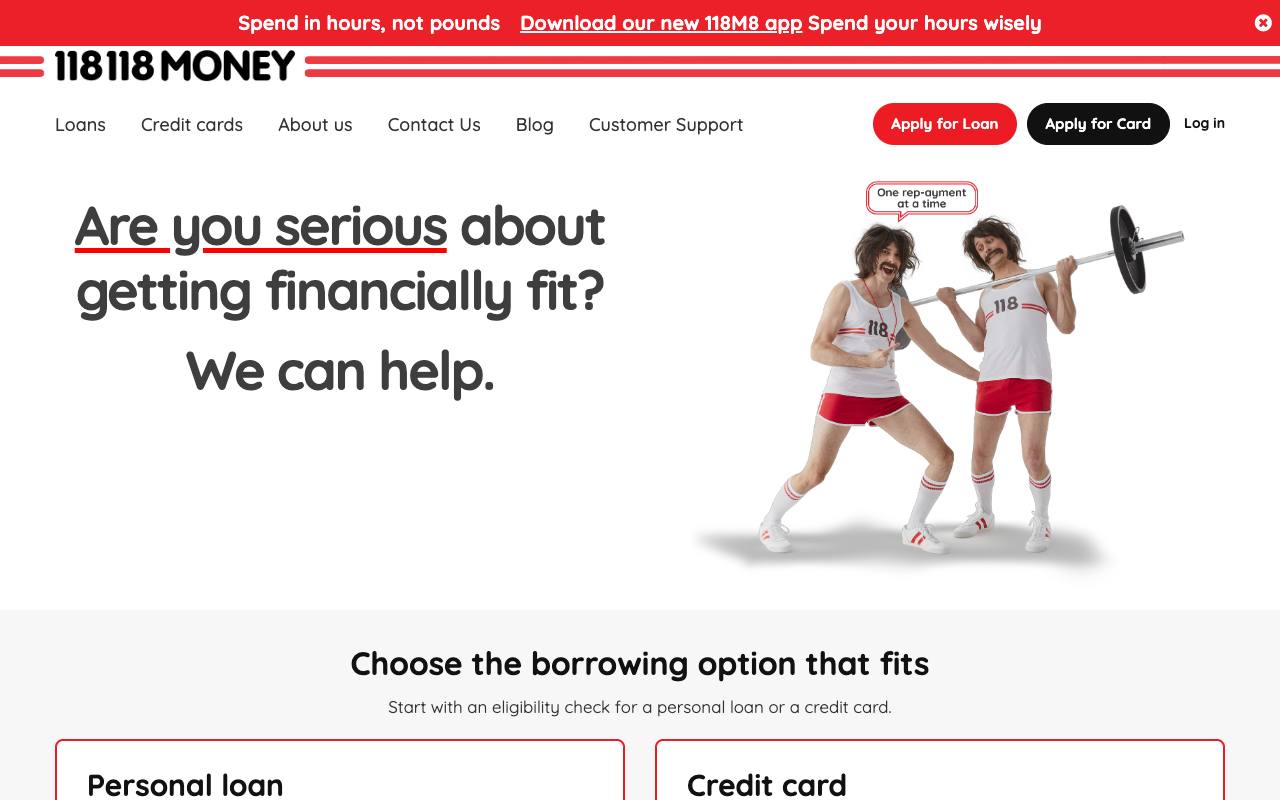
118 118 Money, a UK lender, is the scale check, named here with permission. It is a long-standing customer whose site and growth work run on Theo, and by its own Search Console data the site drew 213,000 clicks from Google search and 10.6 million search impressions in the 90 days through September 27, 2026.
What no other entry does is the work after launch. On Starter and Pro, Theo researches keywords and competitors, builds dedicated pages, blog posts and landing pages, fixes technical SEO issues, improves page speed, submits pages to Google through Search Console, and works toward citations in AI search tools including ChatGPT and Google AI Overviews; it uses no chat credits and shows up in the Growth tab and a weekly report. Basic is $29.99 a month with no growth program; Starter is $69.99, free for the first 30 days; Pro is $129.99 with more weekly pages and posts and read-only access to the site code through GitHub. You own the site and its content, there is no long-term commitment, and you can copy the site and images if you leave.
- Strength and drawback: updates, patches, hosting and the search work all leave your desk; there is no drag-and-drop canvas, and bookings, memberships and payments run in the tools Theo links to.
- Why choose it over WordPress: the upkeep and the search work, the two things WordPress hands you, are the two things Theo does.
2. Squarespace: design-led templates, editing stays with you
Squarespace is a hosted builder organized around its templates. You choose one and edit inside it, and Squarespace runs the software, the hosting and the certificate. Tooltester lists its entry plan at $16 a month, as of September 2026.
The template decides most of the layout, so the site stays tidy and there is no update queue; the pages, the posts and the search work stay yours. In Theo's audit, 49 percent of the 177 Squarespace sites with search data got an estimated zero visitors a month from Google search, and Squarespace's support center documents the export of posts and pages.
- Strength and drawback: consistent templates and a documented export; less flexibility than a plugin library, and the work after launch is yours.
- Where it stops: the editing, the new pages and the search work stay with whoever holds the login; on Theo the change is a message in chat and, on Starter and Pro, the pages, posts and fixes are done for you.
3. Wix: hands-on control without the server
Wix keeps the hands-on editing WordPress allowed and removes the hosting. The drag-and-drop editor places any element anywhere, the App Market fills the role plugins played, and Wix runs the software; Tooltester lists the entry plan at $17 a month, as of September 2026.
In Theo's audit, 47 percent of the 272 Wix sites with search data got an estimated zero visitors a month from Google search, twelve points worse than WordPress. Wix does not export site files, so a later move is another rebuild; a Wix store is one of the two stores Theo connects directly, so it can stay put if the website moves again.
- Strength and drawback: the most layout control of any hosted editor here; no site export, and the search work is yours.
- Where it stops: the layout is yours to place and keep placed, and the pages, posts and search work after launch are yours too; on Theo a layout change is a sentence in chat, and the search work runs on Starter and Pro.
4. WordPress.com: keep WordPress, hand off the server
WordPress.com is WordPress run for you: hosting, certificate and core updates handled, and on the plans that allow plugins the library you know comes along. Zapier lists its entry plan at $4 a month, as of September 2026; confirm which tier allows plugins, because the entry tier is priced as a blog.
What it does not remove is the rest of the list: the plugins and themes you add are still yours to choose and check, and the pages, posts and search work stay where they were. Posts and pages export to any other WordPress host.
- Strength and drawback: the plugins you rely on, with hosting and core updates handled; the plugins and themes you add are yours to check, and everything after launch is still yours.
- Where it stops: hosting and core updates are handled, and everything after launch is not; a Theo site has no plugins to check, and the search work runs on Starter and Pro.
5. Webflow: a designer's builder with hosting included
Webflow is a visual builder pitched at people who design for a living: control close to custom code without a plugin stack, with hosting included. Tooltester lists its entry site plan at $14 a month, as of September 2026, and the designer's fee sits on top.
Webflow assumes a designer on both sides of launch: the site is built to a brief in its designer, and every change afterward goes back to whoever knows the tool, on that person's invoice; an owner without one either learns the tool or pays for each change.
- Strength and drawback: precise design control and hosting in one place; it assumes a designer before launch and after it.
- Where it stops: the designer's fee sits on top of the plan and each change after launch is an invoice; on Theo the change is a message in chat, and Theo matches the look of the site you already have from its address.
6. Hostinger AI Builder: a generated draft and hosting on one bill
Hostinger is a web host with a builder attached: describe the business and Hostinger AI Builder drafts a site you then edit, with site, domain and email in one account. Tooltester lists it at $10.99 a month, as of September 2026; Hostinger's own homepage advertises a lower introductory rate on a long prepaid term that renews at the regular price, so read the renewal line first.
What it removes is the second bill: one subscription covers hosting and a site with no plugin updates. The draft is where the help ends; editing and the work after launch are yours.
- Strength and drawback: hosting and a site on one bill with a draft to start from; a prepaid term for the advertised rate, and the draft is a starting point.
- Where it stops: the draft is the end of the help, and the editing and the search work are yours from that point; on Theo the first preview is the start of the work rather than the end of it.
7. GoDaddy Website Builder: site, domain and email in one GoDaddy account
GoDaddy Website Builder puts the site in the same account as a GoDaddy domain and email. GoDaddy Airo drafts a site from a description of the business, the block editor is simple by design, and neither review site lists an entry figure; the tiers are on GoDaddy's pricing page.
One number to weigh first: in Theo's audit, 56 percent of the 145 GoDaddy Website Builder sites with search data got an estimated zero visitors a month from Google search, the highest share of the six platforms measured. If you later point the domain elsewhere, turn off forwarding and parking at GoDaddy, connect both the root and the www version, and leave the email records alone.
- Strength and drawback: domain, email and site on one bill with the simplest editor here; the highest zero-traffic share in Theo's audit.
- Where it stops: one account holds the domain, the email and the site, and the pages and the search work after launch stay with the owner; a domain registered at GoDaddy connects to a Theo site, with the email records left alone.
8. Shopify: the hosted store Theo connects to, with a marketing site in front
If the reason you are on WordPress is WooCommerce, Shopify takes over the store side: products, checkout, payments, shipping and the software are Shopify's to run. Its pricing page lists Basic at $29 a month billed yearly or $39 month to month, and Grow at $79 or $105, as of September 2026; Theo recommends Shopify for a new store.
Shopify fixes the store side, not the traffic: 50 percent of the 1,125 Shopify sites with search data in Theo's audit got an estimated zero visitors a month from Google search, so a store still needs a marketing site that gets worked on. A Shopify store connects to Theo directly on every plan: products, prices and stock appear on the Theo site with a cart, checkout completes on Shopify, and after a change you click Refresh my products; the Shopify connection page shows what appears where.
- Strength and drawback: the store side is off your hands for good; the marketing pages, the blog and the search work are not its job.
- Where Theo fits: the store connects on every plan, checkout stays on Shopify, and the marketing site in front of it gets the pages, posts and fixes on Starter and Pro.
9. BigCommerce: the other hosted store platform
BigCommerce is the second hosted store platform on Tooltester's list. Like Shopify it runs the store software, the checkout and the hosting; neither review site lists an entry figure, and it is not one of the two stores Theo connects directly.
The same rule applies as for Shopify: the store platform runs the store, and the marketing pages, the blog and the search work are still somebody's job.
- Strength and drawback: store software, checkout and hosting are the vendor's to run; no direct connection to a Theo site.
- Where it stops: the marketing pages, the blog and the search work are not its job, and there is no direct Theo connection; Theo recommends Shopify for a new store, and a Shopify store connects to a Theo site directly.
10. Ghost: a publishing platform rather than a site builder
Ghost is a publishing platform rather than a site builder, and its own Ghost vs WordPress page ranks for this search. Its hosted plans keep publishing simple: the writing goes in and Ghost runs the software; Zapier lists the entry plan at $15 a month, as of September 2026.
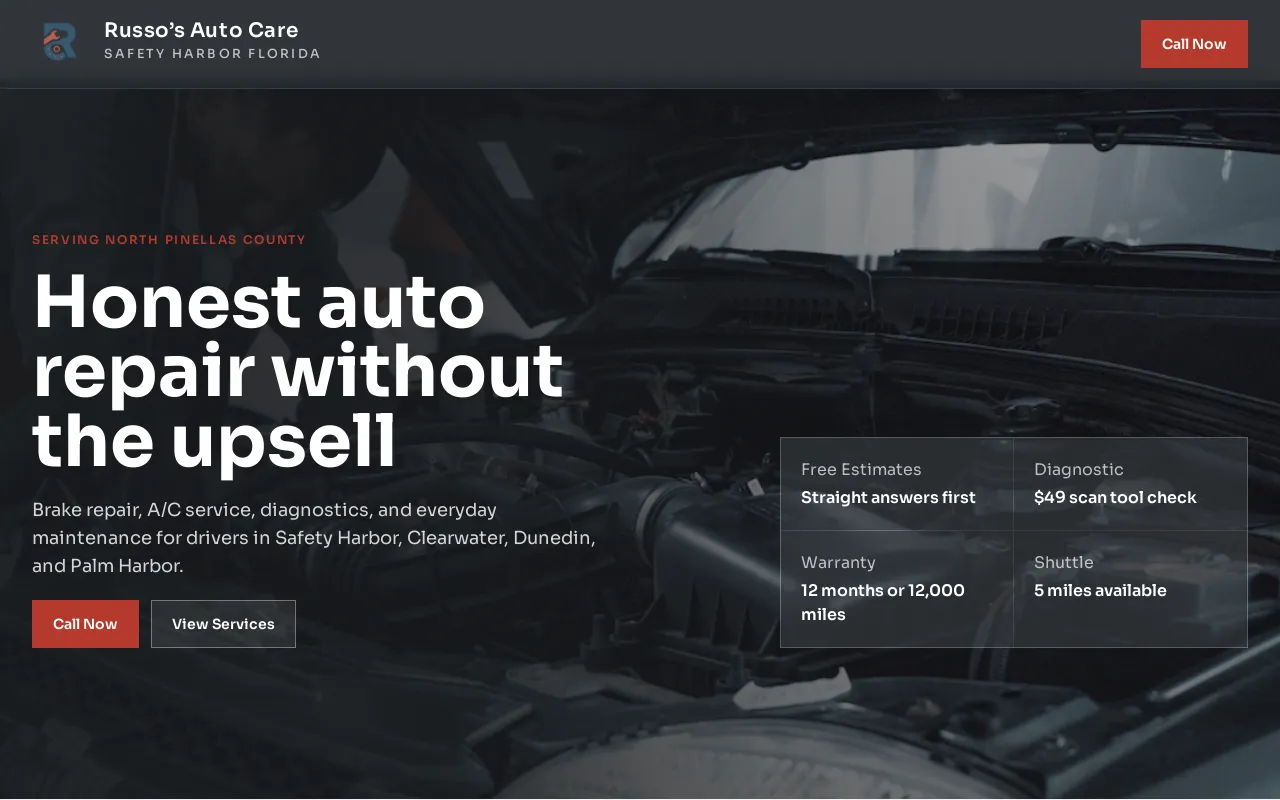
It is the wrong entry for a service business that needs a page per service, an estimate request, hours and directions and a reviews block, which is what the auto repair demo site below is made of; bending a publishing tool into that shape is the upkeep you left behind.
- Strength and drawback: writing and publishing without a plugin stack; service pages and lead forms are a stretch.
- Where it stops: the writing is still yours, and the service pages and lead forms a business needs are a stretch; on Theo the service pages are part of the build and, on Starter and Pro, the posts are written for you.
11. Weebly and Square Online: the simplest editor, next to Square payments
Weebly is a plain drag-and-drop editor, and Square Online is Square's store builder, in the same account as Square payments; Tooltester lists Weebly at $10 a month, as of September 2026.
Theo's report counts the two together: of the 54 Weebly and Square Online sites with search data, 52 percent got an estimated zero visitors a month from Google search, the smallest sample of the six platforms measured.
- Strength and drawback: the least to learn of any editor here, in one account with Square; the fewest ways to grow later, and the search work is yours.
- Where Theo fits: a Square Online store keeps its checkout, Theo builds the storefront that links to its products and the marketing pages around it, and Square Appointments is one of the booking tools a Theo site links to.
12. Jimdo: a few pages on a free tier
Jimdo is the builder Tooltester lists with a free tier, as of September 2026, with paid tiers on its pricing page: it puts a few pages online at no cost, on a Jimdo subdomain until a paid tier is chosen.
The free tier is the point and the limit: it gets a site up, it does not get the site found, and nothing on it writes the pages or posts. Set a date to replace it.
- Strength and drawback: a free way to have a few pages online; a placeholder, with the address and the work after launch to match.
- Where it stops: the free tier holds the pages, not the address and not the traffic; on Theo the free part is the first build, and the plan that follows runs on your own domain, with the hosting and, on Starter and Pro, the work after launch.
WooCommerce alternatives: keep the store, or move it to a hosted platform
A WooCommerce store that works does not have to move, and this is the option the review-site lists leave out. There are three paths.
Keep WooCommerce and replace the marketing site. WooCommerce keeps its WordPress hosting, and the store can live at an address like shop.yourdomain.com. Theo builds the marketing site (home, services, about, blog, landing pages) and a storefront that links to your real products, so a visitor browses on the Theo site and buys on WooCommerce; Theo does not process payments, and checkout, orders and your payment processor do not change. On Starter and Pro the part visitors see first gets the weekly pages, posts and fixes; when you add or retire a product, ask in chat and Theo updates the storefront links.
A store moved to Shopify connects to a Theo site directly on every plan; a store moved to BigCommerce or another hosted platform is joined to the marketing site by links. The decision rule: if WooCommerce works and the complaint is the marketing site, keep the store; if WooCommerce's updates are the complaint, move the store to Shopify and connect it.
Other WordPress alternatives you will see on review sites
Seven more names appear on the two lists that rank for this search, and two more you will meet on other lists, with the listed price where a review site or the vendor's own pricing page records one, as of September 2026.
- Webnode: Tooltester lists it at $4.50 a month; a budget builder with a simple editor.
- Site123: Tooltester lists it at $10.80 a month; a simple builder with few layout decisions to make.
- Joomla: free and open source, and self-hosted like WordPress, so it removes none of the upkeep.
- Medium: a place to publish articles, not a business website; no service pages and no quote form.
- Framer: Zapier lists it at $10 a month; a designer's tool that competes with Webflow.
- Canva: Zapier lists it at $10 a month; a design tool with a website feature attached.
- HubSpot CMS: Zapier lists it at $9 per user a month; the website tool inside a marketing suite.
- Duda: built for agencies that manage many client sites; an owner meets it through an agency.
- Durable: an AI builder that generates a site for you to edit; its own pricing page lists a free tier and Launch at $25 a month, as of September 2026.
What the listed prices buy each month
The entry prices above, side by side with who does the pages, posts and fixes on each, as of September 2026; GoDaddy and BigCommerce have no listed figure on either review site, so they are not in the table. It compares bills, not sites, on the entry tier.
| Plan | Monthly price, as of September 2026 | Who does the pages, posts and fixes |
|---|---|---|
| Theo Basic | $29.99 a month | You, by asking in chat; no growth program |
| Theo Starter | $69.99 a month, free for the first 30 days | Theo |
| Theo Pro | $129.99 a month | Theo, with more weekly pages and posts |
| Jimdo free tier | Free, per Tooltester, on a Jimdo subdomain | You |
| WordPress.com entry tier | $4 a month, per Zapier | You |
| Weebly | $10 a month, per Tooltester | You |
| Hostinger AI Builder | $10.99 a month, per Tooltester | You |
| Webflow entry site plan | $14 a month, per Tooltester, plus the designer's fee | Your designer |
| Ghost | $15 a month, per Zapier | You |
| Squarespace entry tier | $16 a month, per Tooltester | You |
| Wix entry tier | $17 a month, per Tooltester | You |
| Shopify Basic | $29 a month billed yearly, or $39 monthly, per Shopify's pricing page; the marketing site is separate | You, in the store admin |
Why the work after launch decides the choice
Every entry above except Theo leaves the site with its owner, or a designer on retainer, once it is live; the traffic table near the top shows what that deal produces on every platform measured.
One customer site with permission to be named shows the other outcome. Buy My Lunch, a school lunch ordering service, has been on Theo since June 2026; by its own Search Console data through September 27, 2026, Google sent it 929 clicks in the last 90 days against 131 in the 90 days before, impressions rose from 7,500 to 61,700 across the same two periods, and its average position moved from 13 to 8 while the growth work published pages.
Every business and every market is different, so no one can promise that curve. What the plan commits to is the work: pages, posts and fixes each week on Starter and Pro, submissions through Search Console, and a weekly report. Ask the team for live customer sites in your industry; it shares the ones whose owners have agreed.

How to move a small business website off WordPress
The order below is the same whichever alternative you choose; the parts Theo does are marked. Moving a website to Theo has the full walkthrough.
- Start with the pages that earn traffic or carry links. Search Console's performance report lists them; they are rebuilt first and redirected later.
- Export what WordPress holds. Tools, then Export, produces an XML file of posts, pages and comments; download the media library separately and save the WooCommerce product list.
- Build the new site while WordPress stays live (minutes for the first preview, then your review). On Theo, enter the site's address, ask for changes in chat and publish when it reads right.
- Decide where the store lives, before the build. WooCommerce can stay on its hosting with the Theo storefront linking to it; a Shopify store connects directly; a store you plan to close needs its replacement first.
- Point the domain at the new site. Connect both the root and the www version, turn off forwarding and parking, and leave the email records alone; the switch lands when the registrar's records update, usually within a few hours, and WordPress keeps serving visitors until then.
- Set redirects from the old addresses that still get traffic to the pages that replace them; on Theo those are set once Search Console is connected. Google's own guidance says crawling can take anywhere from a few days to a few weeks; what happens to rankings when you move covers what to expect.
- Once the domain is live, connect Google Analytics and Search Console; on Starter and Pro, that is when Theo submits the new pages to Google and the growth work begins.
- Cancel the WordPress hosting last, once the domain answers from the new site and the old links redirect; if WooCommerce stays, its hosting stays.
Mistakes owners make when leaving WordPress
These come up on nearly every move, and each has a short fix.
- Canceling the hosting before the domain switches, so visitors reach nothing on either side. Fix: keep paying the host until the domain has moved.
- Letting the domain expire with the host that bundled it. Fix: log in to the registrar now, confirm the domain is in your name, and set it to renew.
- Forgetting that permalinks are addresses. Without a redirect, a post that carries links and rankings lands on a not-found page. Fix: match each address with traffic to a new page.
- Treating the SEO plugin's green lights as the SEO work. Fix: budget for the pages, posts and fixes after launch, or pick a plan that includes them.
- Choosing on the entry price alone: a $4 tier without plugins and a $69.99 plan that does the work are different purchases. Fix: write down what each plan costs a month and who does the pages and posts.
What Theo does with each reason for leaving WordPress
Each reason an owner gives for leaving WordPress maps to something Theo does; the entries above say where the other eleven stop. For a first site rather than a move, the website builder comparison for small business puts nine builders through the same questions.
- The site should run without you: Theo on Starter, with the store connected if you have one.
- You want to keep changing things, without the server: on Theo the change is a sentence in chat, photos drag in, and there is no update queue behind it.
- The bill is the complaint: Basic is $29.99 a month for the site, hosting and security, and the paid extras are top-up credits, a domain bought through Theo and the optional backlink packages in the Boost checklist.
- The blog is the business: on Starter and Pro, Theo drafts posts weekly and holds them in the Growth tab for your review (or publishes them as they are written once you turn auto-publish on), then submits them to Google through Search Console; your own posts go in through chat.
- Someone else designs and maintains it: Theo matches the look of the site you have from its address, and an agency that runs sites for clients can run them on Theo through the agency partner program.
- The products are the business: a Shopify or Wix store connects directly, with the cart on the Theo site and checkout on the store; Etsy, Big Cartel, Gumroad, Payhip and PayPal sellers keep their checkout behind a Theo storefront.
- The store already runs on WooCommerce: keep it, and move only the marketing site to Theo.
- Payments run through Square: the Square Online checkout is kept, Theo builds the storefront in front of it, and Square Appointments is among the booking tools a Theo site links to.
Frequently asked questions
What is the best alternative to WordPress for a small business?
Theo, for a small business that wants the site run and worked on rather than edited: it builds and hosts the site, changes it when you ask in chat, and on Starter at $69.99 a month does the ongoing SEO and growth work. The hosted editors on this list remove the server and the update queue and leave the editing and the search work with you or a designer you pay. What Theo does not build is custom code, on-site payments, bookings or a member database; it links to the tools that do, and checkout runs on a connected Shopify or Wix store.
How much does a WordPress alternative cost a small business?
Theo is $29.99 a month on Basic for the site, hosting and security, $69.99 on Starter with the ongoing SEO and growth work (free for the first 30 days), and $129.99 on Pro; the paid extras are top-up chat credits, a domain if bought through Theo, and the optional backlink packages in the Boost checklist. The comparison table above lists the other entry tiers as Tooltester and Zapier record them, as of September 2026. Check the tier you need, not the entry figure.
Is there a free alternative to WordPress?
Tooltester lists Jimdo with a free tier and Joomla as free software, as of September 2026. Theo's first build is free as well: you see the preview before you decide, and the 30-day Starter trial covers the first month of growth work. Free hosting does not remove the work after launch.
What is easier than WordPress for a small business?
Any hosted editor is easier to keep running than self-hosted WordPress, because the vendor does the updates and patches; every one of them still leaves the editing to you. Easiest is not editing: on Theo you type the change in chat, and on Starter and Pro the new pages and posts are written for you.
How long does it take to move a small business website off WordPress?
On Theo the first preview is usually ready in minutes from your current address, and the rest is your review in chat. The domain switches once the registrar's records update, usually within a few hours, and WordPress keeps serving visitors until then. On a builder you run yourself, the timeline is whatever you give it.
Do I still own my site if I leave WordPress for a hosted platform?
On Theo, yes: the pages, posts and images are yours, Theo hosts them, and you can copy them to move elsewhere; Pro adds read-only access to the site code through GitHub. Elsewhere the content is yours but the export differs: Squarespace and WordPress.com export pages and posts, and Wix does not export site files. Ask what comes out before you commit.
Can I cancel Theo if the move does not work out?
Yes. There is no long-term commitment, you cancel in your account, and the confirmation shows the date the subscription ends; the site stays up until then. Copy the site and images before that date and point the domain at whatever comes next; a connected Shopify or Wix store is untouched.
Will I lose my Google rankings if I move off WordPress?
Rankings commonly move for a few weeks after any platform change; Google's own guidance says crawling can take anywhere from a few days to a few weeks. Redirecting the old addresses that still get traffic to their matching new pages preserves most of what you built; on Theo those redirects are set once Search Console is connected, and on Starter and Pro the new pages are submitted through Search Console. If the domain changes too, use Search Console's change-of-address step.
Leaving WordPress for a website that is hosted and worked on for you
Theo is the WordPress alternative for an owner who wants out of the update queue and the search to-do list at the same time. It rebuilds the site from your current address, hosts it for $29.99 a month on Basic, and on Starter, $69.99 a month and free for the first 30 days, does the weekly pages, posts and fixes the other eleven leave with you; Pro is $129.99. Before deciding, put the WordPress site through the free website audit: it reports the site's search traffic and rankings today and names the first fixes, with no login.
More like this in the guides and under website builders and platforms. The numbers behind it are in Theo's research.