
Website navigation examples for small business sites
Quick answer
Good small business navigation is five to seven top-level links that match what the customer came to do, plain labels such as Services, Pricing, Reviews, About and Contact, one header button that leads to the booking or ordering tool the business already uses or to the phone number, a mobile menu with large tap targets, and a footer that repeats the main links and adds hours, address and phone. The twelve examples below apply that pattern to a plumber, a restaurant, a dental practice, an immigration lawyer, a CPA and seven other trades, and the twenty practices after them are the checks to run on any menu.
Website navigation is the header menu, the header button, the links inside the pages and the footer. Together they decide whether a visitor who lands on any page reaches the page that leads to a call, a booking or an order. A small business site has a short list of pages, so its menu is short too, and every slot in it has to earn its place.
The twelve trades are ones Theo has built demo sites for, so each pattern has a screenshot of the finished demo below it, and every demo is listed with what it includes on Theo's examples page. Each example gives the top-level labels in order, the header button and where it links, the reason for the order, and what the demo shows.
What good website navigation looks like
Nielsen Norman Group, the UX research firm, publishes a menu-design checklist of 17 guidelines in four groups, as of September 2026: make navigation visible, show where the visitor is, show what the options are, and make the menu easy to use. Each group is a question to ask of any menu, and the twenty practices later in this article are sorted the same way.
A small business site passes all four with a header of five to seven links, one button in its own color, and a footer that repeats the links and adds hours, address and phone. That is the shape every example below uses; only the labels change.
Website navigation examples by trade
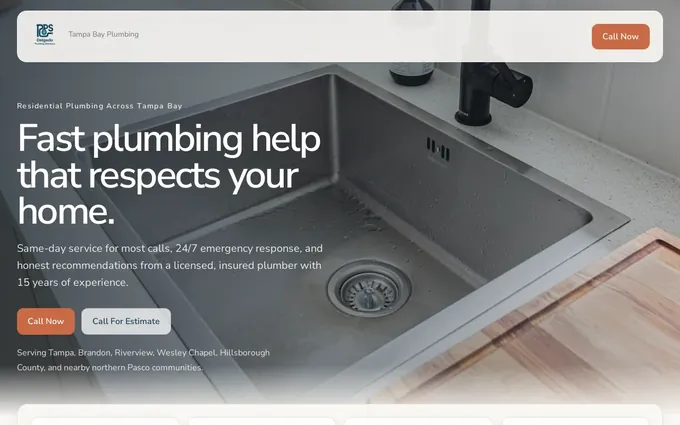
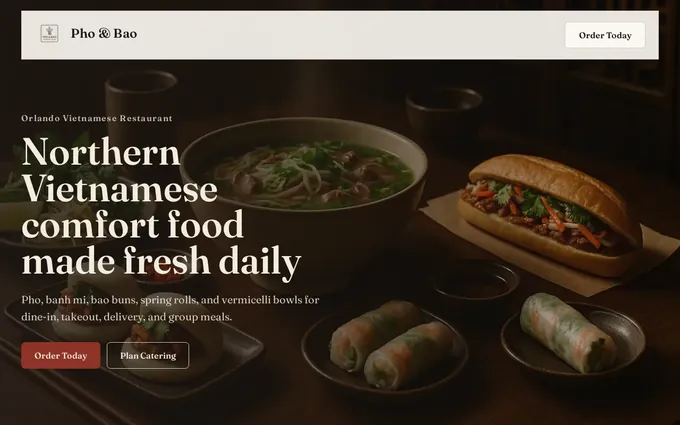
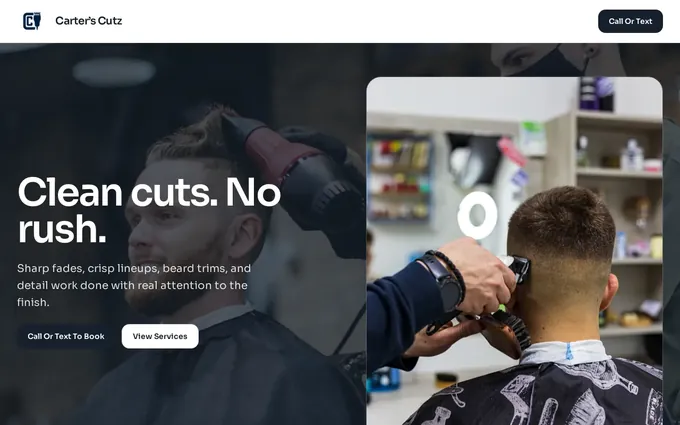
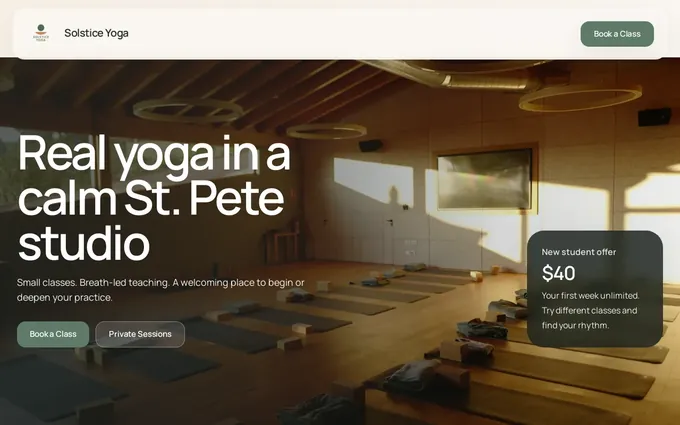
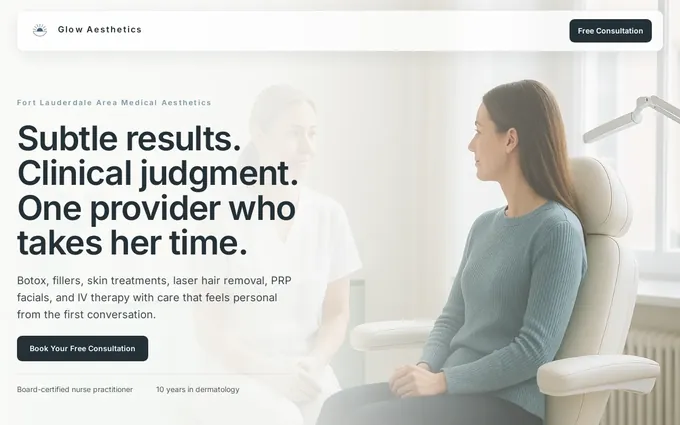
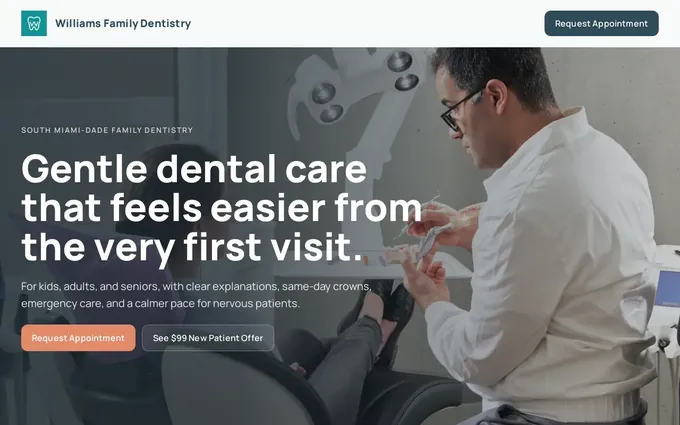
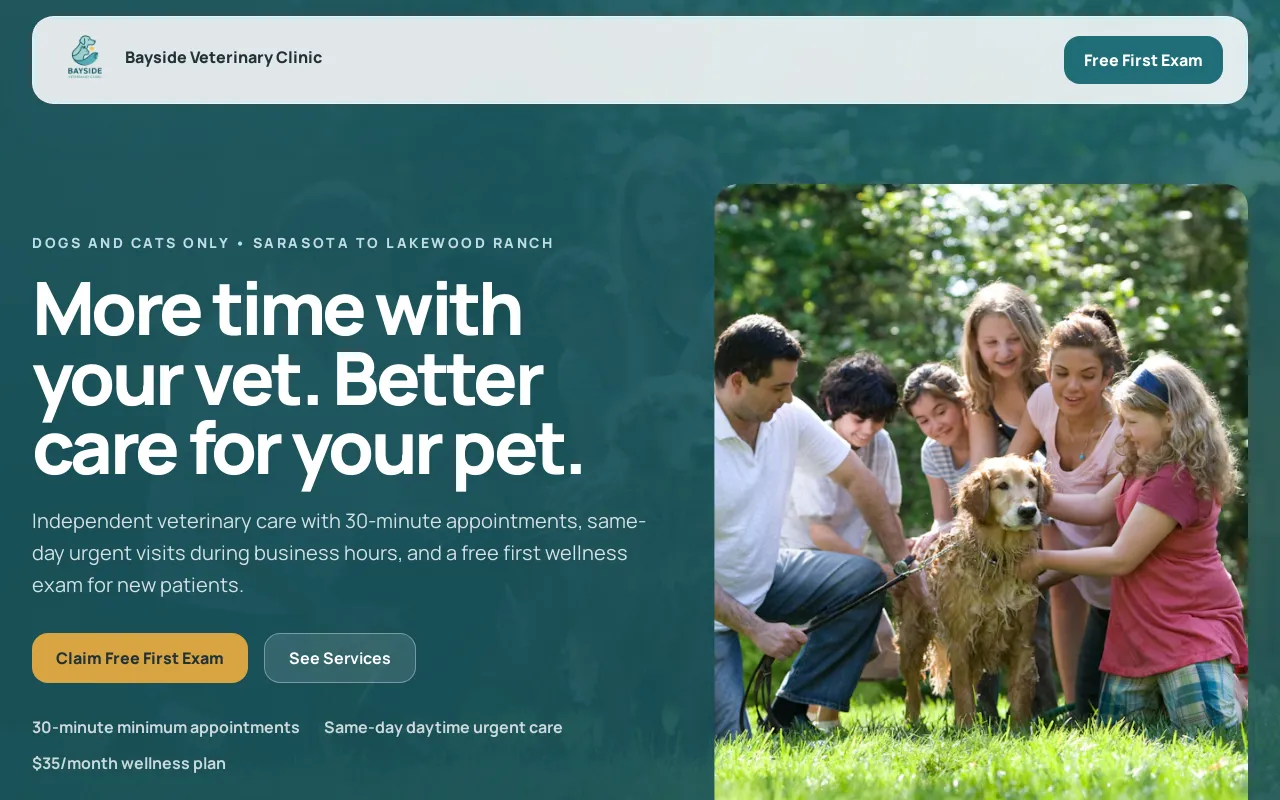
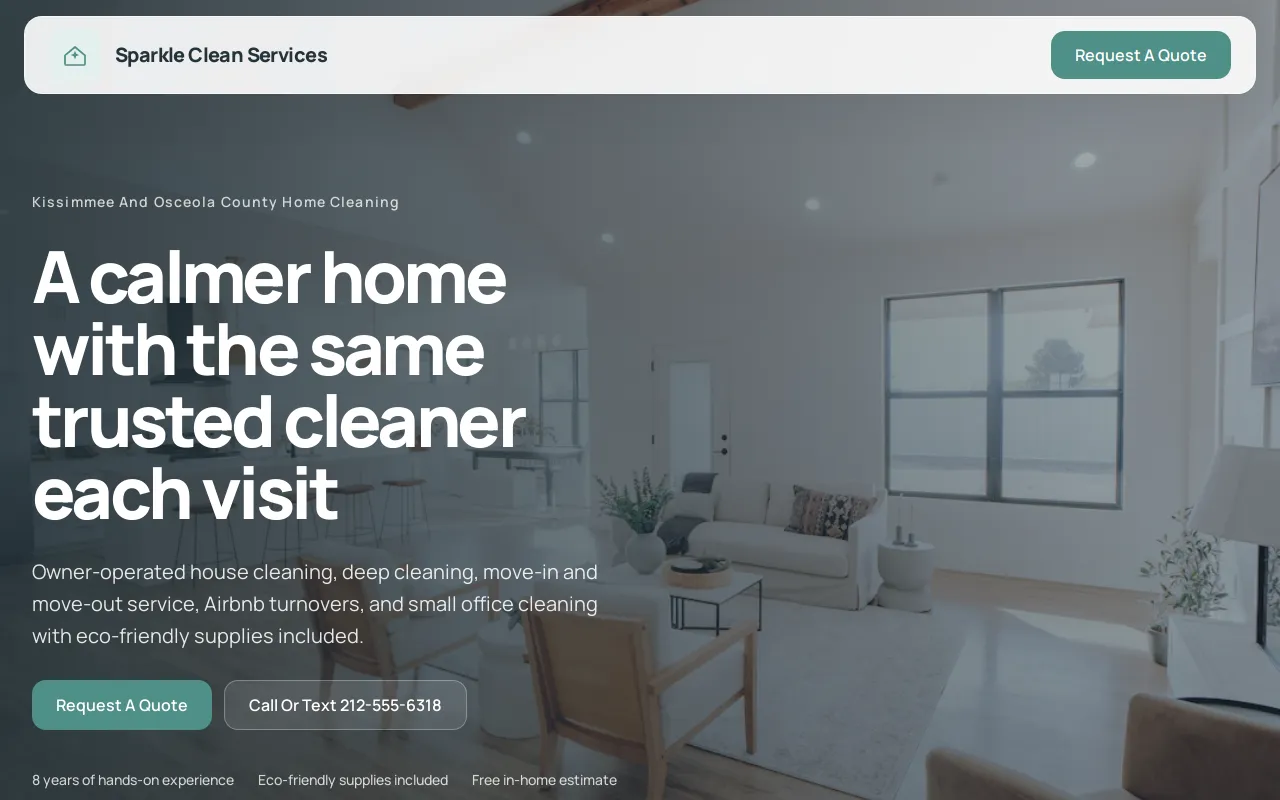
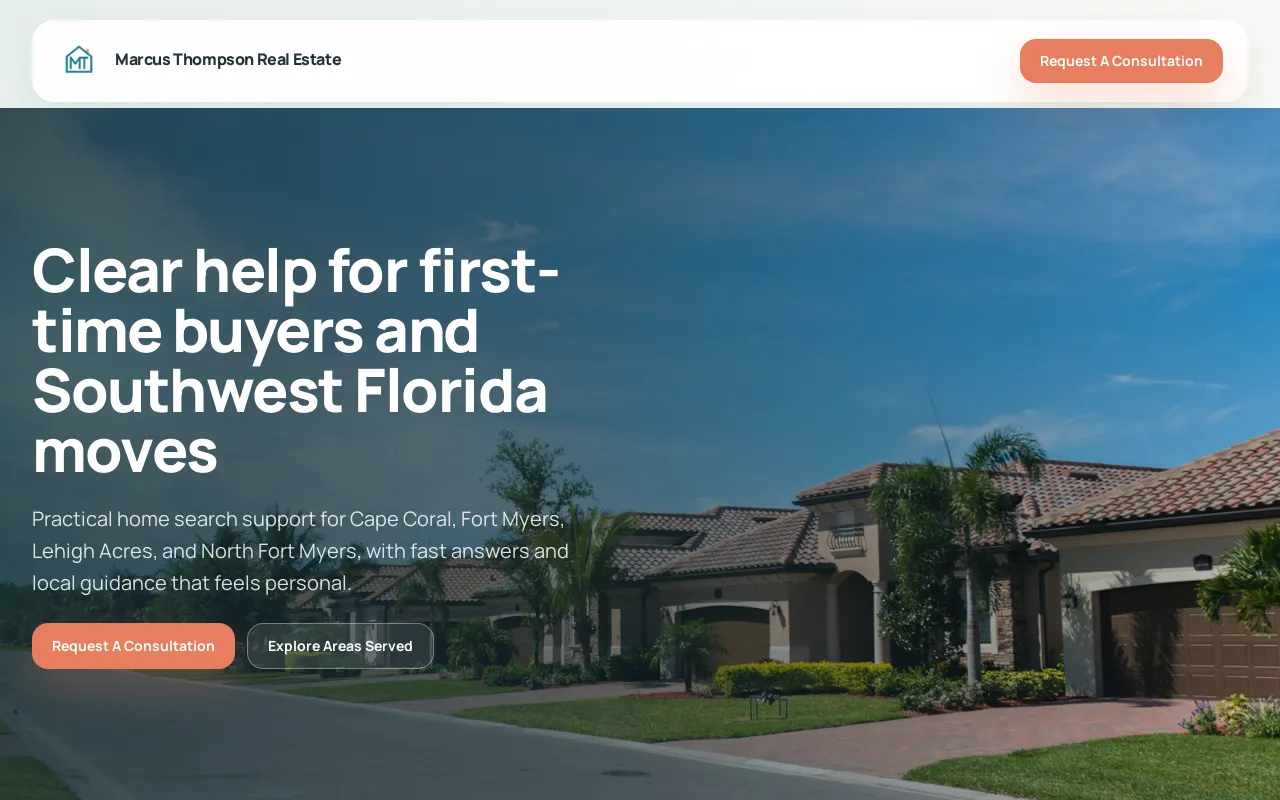
The table gives the recommended header for each trade: the top-level labels in order, then the one button at the right end. The button is the action the business wants most, and it links to the tool the business already uses for that action, or to the phone number. The twelve sections after the table explain the order of each recommended header. The screenshot in each section shows the demo site's own header, the business name at left and one button at right, above the hero; where the demo's button reads differently from the recommendation, the example says so.
| Trade | Recommended top-level links | Header button |
|---|---|---|
| Plumber | Services, Service Area, Reviews, About, Contact | Call now, with the phone number shown |
| Restaurant | Our Menu, Reservations, Hours and Location, Catering, Contact | Reserve a table, linking to the reservation tool the kitchen uses |
| Barbershop | Services and Prices, Our Barbers, Location, About, Contact | Book, linking to the shop's booking tool |
| Yoga studio | Schedule, Classes, Pricing, New Students, Teachers, Contact | Book a class, linking to the studio's booking tool |
| Med spa | Treatments, Pricing, Before and After, About, Contact | Request a consultation, opening the consultation request form |
| Dental practice | Treatments, New Patients, Insurance, About, Contact | Request an appointment, through the practice's own booking tool |
| Immigration lawyer | Practice Areas, Our Attorneys, How It Works, About, Contact | Request a consultation, opening the request form or the firm's scheduling tool |
| CPA | Services, Tax Season, Client Portal, About, Contact | Schedule a call, linking to the firm's scheduling tool |
| Auto repair | Services, Reviews, Hours and Location, About, Contact | Call now, with the phone number shown |
| Veterinary clinic | Services, Emergencies, Our Team, Hours and Location, Contact | Request an appointment, through the clinic's own tool |
| Cleaning service | Residential, Commercial, Service Area, About, Contact | Get a quote, opening the quote request form |
| Real estate agent | Buying, Selling, Neighborhoods, Listings, About, Contact | Call or text, with the phone number shown |
Navigation example 1: a plumber
Recommended header: Services, Service Area, Reviews, About, Contact. Button: Call now, with the phone number written out so it can be dialed from a desktop screen as well as tapped on a phone.
The menu leads with Services because the visitor is usually mid-problem and wants to know whether this plumber handles it. The page behind that link gives each job its own section, the way the services page examples show. Service Area comes second because the next question is whether the plumber comes to the visitor's town. Reviews sits in the header rather than the footer because a plumber is hired on trust, not on design.
The demo carries click-to-call in the header, with a page each for repair, drains and water heaters behind Services. The rule this trade teaches: when the customer is in a hurry, the phone number is the menu.
Navigation example 2: a restaurant
Recommended header: Our Menu, Reservations, Hours and Location, Catering, Contact. Button: Reserve a table, linking to the reservation tool the kitchen already uses, or Order online where takeout matters more than tables; the demo's button reads Order Today.
The food comes first and Reservations second, because a diner decides on the dish, then on the table. Hours and Location is one page, not two, since the visitor wants both at once. Catering earns a header spot only when the restaurant sells it; otherwise it moves to the footer. The word Menu does double duty on a restaurant site, so the phone's navigation button is labeled Menu and the food link is labeled Our Menu.
The demo writes its menu as text so search engines read it, and repeats hours and address on every page. The rule: the answer to the first question, what is there to eat, is one tap from every page.
Navigation example 3: a barbershop
Recommended header: Services and Prices, Our Barbers, Location, About, Contact. Button: Book, linking to the shop's booking tool; the demo's button reads Call Or Text.
Services and Prices is one label because a walk-in customer wants the cost of a cut and a beard trim in the same glance; splitting them into two pages sends the visitor on a detour. Our Barbers is second because regulars book a person, not a shop. Location includes parking, since a visitor who cannot park does not come in.
The demo puts the booking link in the header and lists services with prices. The rule: when the business is booked by the person, the people get a header slot.
Navigation example 4: a yoga studio
Recommended header: Schedule, Classes, Pricing, New Students, Teachers, Contact. Button: Book a class, linking to the studio's booking tool.
Schedule is first because a returning student opens the site to see what is on today. New Students is its own link because a first visit has different questions: what to bring, how early to arrive, which class is gentle. Pricing shows membership and drop-in rates side by side rather than hiding the drop-in rate, which is the one a new student compares.
The demo links its schedule to the booking tool and gives new students their own page. The rule: a menu serves both the regular and the newcomer, so it carries one link for each.
Navigation example 5: a med spa
Recommended header: Treatments, Pricing, Before and After, About, Contact. Button: Request a consultation, opening the consultation request form; the demo's button reads Free Consultation.
Treatments becomes a dropdown when there are three or more treatment pages, with the parent label still a link to an overview page. Before and After sits in the header because it is the proof a med spa visitor looks for before booking. About carries the credentials and safety information, and the label stays About rather than Our Story so a nervous visitor finds it. The consultation form asks only for a name, contact details and a short message.
The demo's treatment pages explain what happens, and it has a before-and-after gallery. The rule: proof gets a header slot when the purchase is a leap.
Navigation example 6: a dental practice
Recommended header: Treatments, New Patients, Insurance, About, Contact. Button: Request an appointment, through the practice's own scheduling tool.
New Patients and Insurance are in the header because those are the two questions a first-time patient asks before booking: will the practice take me, and will it take my plan. Treatments can be a dropdown grouped by need (cleanings, fillings, cosmetic, emergencies) rather than one long alphabetical list. A dental emergency line goes in the thin bar above the header, since a visitor with a toothache is not browsing.
The demo has the insurance and financing page and the new patient page the header points to, and routes appointment requests through the practice's own tool. The rule: the page that removes the reason not to book goes in the header.
Navigation example 7: an immigration lawyer
Recommended header: Practice Areas, Our Attorneys, How It Works, About, Contact. Button: Request a consultation, opening the request form or the firm's scheduling tool; the demo's button reads Book Consultation.
Practice Areas first, because a visitor with a visa question wants to know the firm handles that visa. Our Attorneys second, because the client is hiring a person with credentials. How It Works is the plain-language process page, and it belongs in the header because fear of the unknown is what stops the call. A firm that serves clients in more than one language adds a language switch at the far end of the header.
The demo gives each practice area its own page and explains the process in plain language. The rule: when the service is complicated, the page that explains the process gets a header slot.

Navigation example 8: a CPA firm
Recommended header: Services, Tax Season, Client Portal, About, Contact. Button: Schedule a call, linking to the firm's scheduling tool; the demo's button reads Free Consultation.
Services splits into two entries in its dropdown, for individuals and for businesses, since the two clients search for different things. Tax Season is a seasonal page that the header carries from January to April and the footer carries the rest of the year. Client Portal is a header link because existing clients come back to upload documents, and a returning client who has to hunt for the portal is a phone call the firm did not need.
The demo splits services for individuals and businesses, has a tax season page and links to a secure portal. The rule: a returning customer's link stays in the header even when new customers never use it.

Navigation example 9: an auto repair shop
Recommended header: Services, Reviews, Hours and Location, About, Contact. Button: Call now, with the phone number shown; the estimate request gets a text link in the thin bar above the header for visitors who would rather not call.
Services is a dropdown by repair type (brakes, oil change, check engine light, tires), each opening its own page, because a driver searches the repair, not the shop. Reviews sits second because an unfamiliar shop is chosen on other drivers' word. Hours and Location carries directions, because a car that barely runs needs the shortest route.
The demo gives each repair type its own page and puts hours, address and directions together. The rule: when the customer arrives with a broken thing, the menu is organized by the thing, not by the department.

Navigation example 10: a veterinary clinic
Recommended header: Services, Emergencies, Our Team, Hours and Location, Contact. Button: Request an appointment, through the clinic's own tool; the demo's button reads Free First Exam.
Emergencies is the second link and is repeated as one line in the bar above the header with the after-hours number, because the visitor at 11 p.m. with a sick dog is not reading a menu. Our Team is in the header because a pet owner picks a vet the way a patient picks a doctor. The site's own forms ask only for a name, contact details and a short message; the appointment itself is booked in the clinic's tool.
The demo carries emergency and after-hours guidance and routes appointment requests through the clinic's tool. The rule: the emergency path gets its own link and never hides in a dropdown.
Navigation example 11: a cleaning service
Recommended header: Residential, Commercial, Service Area, About, Contact. Button: Get a quote, opening the quote request form; the demo's button reads Request A Quote.
Residential and Commercial are two top-level links rather than a Services dropdown, because the two customers want different pages and different prices, and each label tells the visitor which one to tap. Service Area is third because a cleaning service travels to the customer. About carries the bonded and insured details, and the button opens a short form rather than dialing a number, because a cleaning quote needs the square footage and the frequency.
The demo has separate residential and commercial pages and a quote request. The rule: when two customer types buy different things, give each its own header link.
Navigation example 12: a real estate agent
Recommended header: Buying, Selling, Neighborhoods, Listings, About, Contact. Button: Call or text, with the phone number shown; the demo's button reads Request A Consultation.
Buying and Selling are separate because a seller and a buyer read different guides. Neighborhoods is the local-knowledge section, a page per area, and it gives a search engine something local to read. Listings links to the MLS tool the agent already uses rather than a copy of the feed, so the site never shows a sold house as available. Call or text is the button because a home buyer texts.
The demo has neighborhood pages, buyer and seller guides, and listings linked to the MLS tool the agent uses. The rule: link out to the tool that holds the live data, and keep the header for the pages the site owns.
20 website navigation best practices, in four groups
The twenty practices are grouped the way Nielsen Norman Group's checklist groups its guidelines, so a menu can be judged one group at a time, and most practices point to an example above that shows them.
Group 1: make the menu visible
- Show every top-level link on a desktop screen. A three-line menu icon on a laptop hides the plumber's five links behind a click that most visitors never make; the icon is for phones.
- Keep the same header on every page, in the same place. The restaurant example repeats hours and address on every page for the same reason: a visitor who lands on the catering page from a search has never seen the homepage.
- Give the header button a color used nowhere else on the page, and put it at the right end of the header. If the barbershop's Book button matches the link color, it reads as one more link.
- On a phone, label the menu button Menu and keep the header button outside the folded menu, so Call now or Get a quote is always one tap away.
- Keep cookie bars, chat bubbles and promo banners off the header on a phone. A banner that covers the Call now button on a plumber's site removes the site's reason to exist.
Group 2: show the visitor where they are
- Mark the current page in the menu with an underline, a bolder weight or a color change, so a visitor who opened Insurance on the dental site sees it marked.
- Match the page title to the label that was tapped. Services opens a page titled Services, not What We Do; Our Barbers opens Our Barbers.
- Add a breadcrumb line on pages two levels deep. The plumber's service-area page for one town reads Home, Service Area, then the town, and each earlier step is a link.
- Make the logo link to the homepage and drop the Home link from the menu. The slot is better spent on Reviews or Pricing.
Group 3: show what the options are
- Five to seven top-level links. Fewer than five usually means a page the customer needs is missing; more than seven means footer pages have crept into the header. The header holds the pages that lead to a call, a booking or an order: what the business does, proof, who it is, how to reach it, and the one page that answers the trade's first question (Service Area, Insurance, Our Menu, Schedule). The footer holds everything else: individual service pages, the blog, legal pages, and links to the business's listings on Google, Facebook and Yelp.
- Write labels in the customer's words, one or two words each: Pricing rather than Investment, Services rather than Solutions, Contact rather than Connect.
- Order the links by the customer's questions. The plumber's visitor asks what and where, so Services then Service Area; the diner asks what and when, so Our Menu then Reservations.
- Give the trade's first question its own header link: Insurance for the dentist, New Students for the yoga studio, Emergencies for the veterinary clinic, Client Portal for the CPA.
- Use a dropdown only for a real group of pages, such as the law firm's practice areas or the auto shop's repair types, and keep the parent label a link to an overview page.
- Keep proof reachable from the header: Reviews for the plumber and the auto shop, Before and After for the med spa, Our Attorneys with credentials for the law firm.
Group 4: make the menu easy to use
- On a phone, each menu link is a full-width row tall enough to tap without hitting its neighbor, and dropdown items become indented rows inside the open menu.
- A dropdown opens on hover and on tap, stays open while the cursor crosses it, and closes with a visible control or a tap outside it.
- The phone number is a tap-to-call link everywhere it appears, and the address opens the map app. The real estate agent's Call or text button does both jobs.
- The open menu never shifts the page underneath it or covers the header button, and the page does not jump when the menu closes.
- The menu works from a keyboard, with Tab to move and Enter to open, and the menu button carries a name a screen reader can announce. The ADA compliance checklist covers the rest of the keyboard and screen reader checks.
Menu labels that customers understand
A label has one job: to say what the page contains, in the words the customer would use, which is usually the word the customer would type into a search box. The table pairs the labels that get chosen for style with the ones that get tapped.
- A label is one or two words, so it fits in a phone menu without wrapping.
- A label matches the H1 of the page it opens; a visitor who taps Services and lands on a page titled What We Do has to check that the tap worked.
| Weak label | Clearer label | Why it is clearer |
|---|---|---|
| Solutions | Services | Names what the business sells |
| Investment | Pricing | Uses the word buyers look for |
| Connect | Contact | Matches what the visitor expects to find |
| Our Story | About | Shorter, and the same on every site the visitor has used |
| Insights | Blog | Says what the section is |
| Get in Touch | Call now | Names the action and shows the number |
| Testimonials | Reviews | The word customers search for and read |
| Where We Serve | Service Area | Answers the question the way it is asked |
Should a small business website use dropdown menus
Only when there are several distinct pages under one label: a firm with four practice areas, a clinic with a page per treatment, an auto shop with a page per repair type. A site with five to seven pages shows every link in the header and skips the dropdown.
The decision rule: if the group has three or more pages and a visitor would name the group before naming a page in it, use a dropdown; if not, the pages are top-level links or footer links. Where a dropdown is used, the parent label stays a link to an overview page, the dropdown lists at most eight items, and a mega menu with columns and pictures is left to sites with hundreds of pages.
One exception is worth naming. For a store connected from Shopify or Wix, give the header one Shop link beside the cart and put the categories in a dropdown under it, since a shopper names the category before the product; checkout completes on the store, as the Shopify connection page explains. For an Etsy or other keep-your-checkout shop, the same Shop link opens the storefront that links to the real listings.
Mobile navigation checks for a small business site
On a phone the menu folds behind a button, usually the three-line icon, so every choice about labels and order counts double. Open the site on a phone and try to do what a customer would do: call, book or find the address. Of the practices above, the checks that fail most often are the Menu label with the header button outside the folded menu, rows tall enough to tap, and a menu that neither shifts the page nor covers the button.
One more check: the thin bar above the header carries the one line that cannot wait, the after-hours number for a veterinary clinic, the emergency line for a dentist, today's hours for a restaurant, and it stays readable on a phone with the menu closed.
What goes in the footer of a small business site
The footer is the second menu, the one a visitor reaches after reading a whole page. It repeats the header links, then adds what the header leaves out. The restaurant demo shows the simplest version: hours and address on every page, so the visitor who scrolled to the bottom of the catering page has the answer without a tap.
- Business name, address, phone and email as plain text, so they are readable and tappable.
- Hours, including holiday hours when they differ.
- The service area or the neighborhoods served, for a business that travels to the customer.
- Individual service pages, one link each, so a visitor who scrolled a long page has a next step.
- A Blog link, where the guides and posts added over time live, so they never crowd the header.
- Links to the business's listings on Google Business Profile, Facebook and Yelp, which Theo's Boost checklist walks the owner through setting up.
- Privacy policy and terms, plus the license number for trades that carry one.
Website navigation mistakes and the fix for each
Each mistake below hides a page or an action from the visitor. The middle column is what the visitor sees; the fix is a chat request on a Theo site and a settings change on most builders.
| Mistake | What the visitor sees | Fix |
|---|---|---|
| Home as the first link | A wasted slot, and a menu that starts with the page the visitor is already on | Make the logo the home link and give the slot to Reviews or Pricing |
| Every page in the header | Eleven links wrapping to two lines, or a three-line icon on a desktop | Keep five to seven; move service pages and posts to the footer or a dropdown |
| A button labeled Learn more or Submit | No idea what happens next | Name the action: Call now, Book, Get a quote, Reserve a table |
| Social media icons in the header | A door out of the site before the visitor has read a page | Move the icons to the footer |
| A dropdown parent that is not a link | A tap on Services on a phone that opens nothing | Make the parent an overview page and list the children under it |
| The phone number as plain text | A number to memorize and type | A tap-to-call link in the header, the button and the footer |
| Contact reachable only from the footer | A visitor who reads everything and cannot find the door | Contact as the last header link, and the contact block in the footer of every page |
How to test website navigation in ten minutes
This test runs on a phone and a laptop, takes about ten minutes, and needs no tools. The owner runs it on the preview before publishing and again after any page is added.
- Open the site on a phone, one minute. The screen shows the business name, a button labeled Menu and the one action button; if a banner covers any of them, that is the first fix.
- Tap Menu, one minute. The screen shows five to seven full-width rows, each one or two words, with Contact last; a row that wraps to two lines is a label to shorten.
- Tap every row, three minutes. Each page opens with a title that matches the row tapped, and the row is marked in the menu; a mismatch is a heading to rename.
- Tap the phone number and the address, one minute. The phone offers to dial, and the address opens the map app; plain text is a link to add.
- Open the site on a laptop, two minutes. Every top-level link shows on one line without a menu icon, each dropdown opens on hover and stays open while the cursor crosses it, and the parent label opens an overview page.
- Press Tab from the top of the page, one minute. The focus moves through the logo, each link and the button in order, and Enter opens the focused item.
- Hand the phone to someone who has not seen the site, one minute. Ask them to find the hours and the price of the most common service; if either takes more than two taps, the menu order needs to change.
Navigation checklist before you publish
A clear menu only helps the visitors who arrive. In Theo's audit of 5,974 small business websites, 48 percent of the 4,027 sites with search data got an estimated zero visitors a month from Google search. So run the menu checks below, then run the free audit to see whether the site is getting found at all.
- Five to seven header links, in the order of the customer's questions. Checked at launch and again whenever a page is added.
- One header button, linking to the booking tool the business already uses or to the phone number. Checked at launch and whenever the business changes its booking tool.
- Every label is one or two words and matches the H1 of the page it opens. Checked at launch and after any page is renamed.
- Reviews or other proof is reachable from the header, not only the footer. Checked at launch and each quarter, when new reviews come in.
- Contact is the last link, and the contact page shows phone, email, address and hours on one screen. Checked at launch and whenever hours change.
- The phone menu is labeled Menu, the button stays visible, and every row is easy to tap. Checked on a real phone at launch and after any header change.
- Seasonal links (Tax Season, holiday hours, a summer special) move between header and footer on a calendar reminder, twice a year.
How Theo builds the navigation
Theo builds the site, and the first preview is usually ready in minutes with a header, a button and a footer in place. The owner changes any of it by typing the request in chat: move Reviews before About, add Insurance to the header, make the button say Book a class and link it to the studio's scheduling page. Small edits use a little of the monthly chat credits; a new page uses more.
Once the site is live, the ongoing growth work on Starter and Pro adds pages, posts and landing pages, and a chat request puts any of them in the header or the footer, so the owner decides what the menu carries and it stays the size a customer can read. The same work refines copy, calls to action, layout and page flow over time, and the owner sees what was done in the Growth tab and the weekly report. On Starter and Pro, Theo also submits new pages to Google through Search Console.
Every Theo site is a static website served over HTTPS, so the menu is plain links that a search engine and a screen reader can read. A booking, reservation or scheduling tool the business already uses (Calendly, Square Appointments, Acuity, Mindbody, Jobber, Housecall Pro, Toast, OpenTable) is linked from the header button; Theo does not run the booking itself. The conversion rate guide covers what happens after the tap.
Frequently asked questions
How much does it cost to change a website's menu on Theo?
Menu changes are chat edits and use chat credits from the monthly allowance; reordering links uses a little, a new page uses more. Basic is $29.99 a month for the site and hosting, with 1,500 chat credits. Starter is $69.99 a month, free for the first 30 days, with 4,500 credits plus the ongoing growth work, which never uses credits. The plans are compared on the pricing page.
How long does it take to get a site with this navigation?
The first preview is usually ready in minutes, with the header, the button and the footer in place. The owner refines the menu, the pages and the photos in chat and publishes when it looks right. The finished site answers at the owner's own domain once the registrar's records update, usually within a few hours, and the old site stays live until then.
Who owns the site and its pages, and what happens on cancellation?
The owner owns the site, every page in the menu and every photo, on every plan, and can copy the site and its images to move elsewhere. There is no long-term commitment; cancel at any time, and the confirmation shows the date the subscription ends. Pro customers can also read and copy the site code through GitHub.
How many links should a website menu have?
Five to seven in the header, plus one button. The header holds the pages that lead to a call, a booking or an order; the footer holds the rest. Each of the twelve examples above stays inside that range.
What is the best navigation for a small business website?
A horizontal header with five to seven text links, one button in its own color, and a footer that repeats the links and adds hours, address and phone. Sidebars, icon-only menus and full-screen menus belong to portfolio and app sites, not to a plumber or a dentist whose visitor wants a phone number. The twelve examples above are all that same shape with different labels.
Should the menu include a Home link?
No. The logo links to the homepage on every site the visitor has used, so a Home link spends one of five to seven slots on a page the visitor can already reach. The one case for it is a logo that does not look clickable, and the fix there is the logo, not the menu.
Does website navigation affect whether a site shows up on Google?
Yes, in one specific way: Google finds pages by following links, so a page that no menu, footer or paragraph links to is hard to find and easy to leave out. Every page a small business wants found should sit one or two links from the homepage. On Starter and Pro, Theo also submits new pages through Search Console, and the free audit reports whether the site's pages are getting visits from search.
Website navigation on a Theo site
Theo builds the site with the header, the button and the footer already in the pattern above, and the owner reshapes any of it by typing the request in chat, with no editor to learn. Basic, $29.99 a month, covers the site and hosting. Starter is $69.99 a month, free for the first 30 days, and includes the ongoing growth work: it adds pages, posts and landing pages, and a chat request puts any of them in the header or the footer, and it refines copy, calls to action, layout and page flow over time. Build the site free, open its menu on a phone, and decide after seeing it.
More like this in the guides and under turning visitors into customers. The numbers behind it are in Theo's research.